
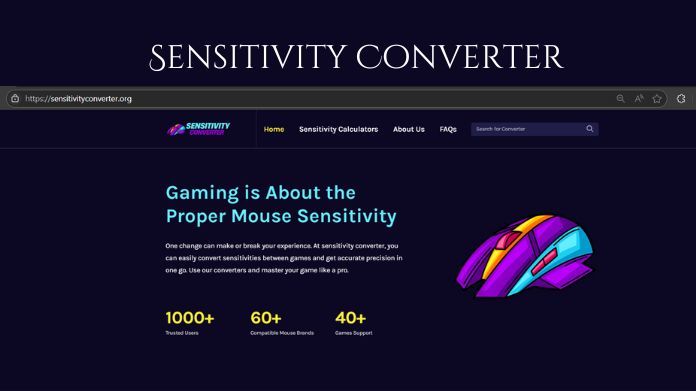
Ever wondered why your aim feels off when switching games? Your crosshair placement, flicks, and tracking may feel perfect in one title yet strangely awkward in another.
A great sensitivity converter tool may alter everything in this situation. It preserves the accuracy you've worked so hard to master by smoothly translating your precise aim sense from one game to another.
Instead of wasting time experimenting with different settings, the program calculates the precise figures for you, guaranteeing that your aim speed, crosshair control, and hand movement are constant throughout all games.
In this blog article, we'll explain how a sensitivity converter tool works, why it's such a game changer for serious players, and how you can use it to achieve new levels of consistency and precision in your aim.
Why Sensitivity Matters More Than You Think
In first-person shooters, muscle memory is essential. Your brain learns the precise action required to flick to a target, monitor an attacker, or set up a critical headshot.
Consider trying to write your name using a pen that changes size when you pick it up. You could still write, but it would be unpleasant, and mistakes would be inevitable.
Quick Overview of Sensitivity Converter Tool
A Sensitivity Converter helps gamers to convert mouse sensitivity settings between games, ensuring consistent aim and control across different games for a smoother, more accurate experience.
It improves performance and maintains muscle memory by keeping a steady sensation of aim throughout games.
Benefits of Using a Perfect Sensitivity Converter Tool
A perfect sensitivity converter tool is more than just a settings shortcut; it's an absolute must-have for gamers that value precision and consistency in their gameplay. Here is why it is important.
1. Consistency Across Multiple Games
Alternating between games with varying sensitivity levels may result in your aim being off. A sensitivity converter keeps your settings consistent, so your muscle memory works the same no matter which title you’re playing.
2. Saves Time and Effort
Instead of spending hours experimenting with sensitivity sliders, you can get accurate results in seconds. This means more time playing and improving, less time stuck in menus adjusting numbers.
3. Preserves Muscle Memory
Any shooter may benefit greatly from muscle memory. The converter protects the expertise you've developed over time by making sure every flick, spray, and micro-movement feels the same in all games.
4. Reduces Frustration
There’s nothing worse than missing shots you’d normally hit just because your settings feel off. With a converter, you avoid the trial-and-error frustration and jump straight into smooth, confident aiming.
5. Boosts Competitive Performance
In high-stakes games, even little inconsistencies might lose you a round. Maintaining the same sensitivity throughout games lets you to fire more accurately and consistently, which can have a direct impact on your win rate.
6. Perfect for Players Who Switch Often
This tool ensures that your aim remains laser-focused wherever you play, whether you like numerous shooters like CS2, Apex Legends, Overwatch, or VALORANT.
How to Use the Sensitivity Converter Tool?
Mastering a sensitivity converter tool is easier than most players imagine, and the results can completely transform your aim consistency. Here’s a clear, step-by-step guide:
Step 1: Select your current game from the converter’s list.
Open the tool and select your current game from the available list. This ensures the calculation starts with the exact sensitivity settings you’re already comfortable with.
Step 2: Enter your current sensitivity and DPI.
Enter your current in-game sensitivity along with your mouse DPI. These two numbers are crucial for accuracy together; they define the precise way your aim feels.
Step 3: Choose the new game you want to match it with.
Choose the game you want to match your sensitivity with. Whether you’re switching from VALORANT to CS2, Apex Legends, or any other shooter, the converter will adjust the values to match the feel exactly.
Step 4: Copy the converted sensitivity to your new game’s settings.
The converted sensitivity value that the program gives you should be copied and pasted straight into the settings of your new game.
Final Words
A perfect sensitivity converter tool is more than just a convenience, it’s a game-changer for players who value precision and consistency.
It allows you to transition seamlessly between games without sacrificing your hard-earned aim control.
With every shot feeling familiar and every movement perfectly tuned, it transforms your gameplay into a smooth, confident experience you’ll never want to give up.
About Author;
Hi, I’m Mekhail Taylor, a software developer with a passion for gaming technology. Combining years of coding expertise with competitive play experience. I'm associated with GameHub.
A GameHub is a popular and informative website in the Gaming world that helps users get more information about trending games, guides, news of lasted games, and much more.